 COPIER
Best Free Scanner App: iPhone, Android and Web
The best free scanner app is usually the one already on your phone. On an iPhone or iPad, the scanner in Notes and Files is free with no limits, makes multi-page PDFs and keeps them on the device. On Android, Google Drive’s scanner does the same job but saves to your Drive. If you want something more, Genius Scan and Adobe Scan are the strongest free apps, and the right one depends on whether you’d rather keep scans on your phone or in the cloud.
Every app here was judged on the same five things: what the free version limits, whether you need an account, whether your pages are uploaded, whether you get a PDF for free, and whether it can recognize text.
The best free document scanner apps compared
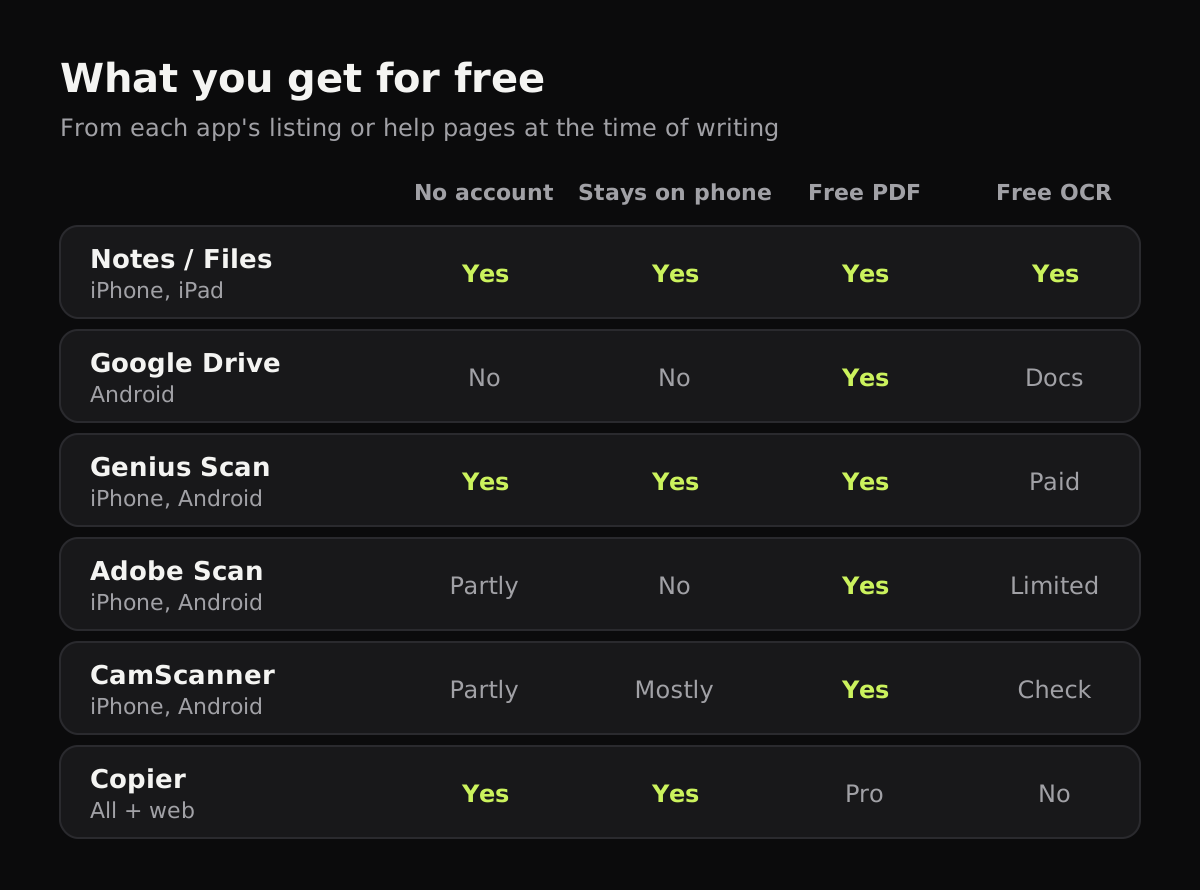
This is from each app’s store listing or help pages at the time of writing. Free tiers change, so check before you rely on one.
| App | Platforms | Free limits | Account | Uploads your pages | Free PDF | Text recognition |
|---|---|---|---|---|---|---|
| Notes / Files scanner | iPhone, iPad | None | No | No (Notes syncs to iCloud if on) | Yes | Live Text, free |
| Google Drive scan | Android | Your Drive storage | Google account | Yes, to Drive | Yes | Via Google Docs |
| Genius Scan | iPhone, Android | OCR and sync are paid | No | No, on-device processing | Yes | Paid plan |
| Adobe Scan | iPhone, Android | OCR page limit, some tools paid | Sign-in for online and paid features | Yes, to Adobe cloud storage | Yes | Yes, limited |
| CamScanner | iPhone, Android | Premium tools paid | Has accounts | Optional cloud uploads | Yes | Yes |
| Copier | iPhone, iPad, Android, web | 10 documents, JPG only | No | No | Pro | No |
Microsoft Lens, once a common pick, was retired in 2026 and no longer scans.
Best free scanner on iPhone and iPad: Notes and Files
- Open Notes, start a note, tap the paper clip and choose Scan Documents. In Files, tap ⋯ in a folder and choose Scan Documents.
- Hold the phone over the page. It takes the page when it finds it.
- Tap Save. In Files you get a PDF in that folder straight away.
It’s free, unlimited and private, and Live Text lets you copy text from the scan. What it lacks is a proper library and much control over how the page looks. Our guide to scanning in Notes on iPhone has the details, and best scanner app for iPhone compares paid options too.
Best free scanner on Android: Google Drive or Genius Scan
Google Drive’s scanner is on most Android phones already. Tap the camera button in Drive, scan, use Crop & Rotate or Filter if needed, and save as PDF or JPG to a Drive folder. It’s good, and the PDF is in your Drive on every device. The catch is that every page goes to Google’s servers and counts against your storage.
If you’d rather keep scans on the phone, Genius Scan lists on-device processing and says its free version can be used for as long as you want, including batch scanning and multi-page PDFs. Text recognition is part of its paid plan. Samsung and Pixel phones also have scanners in their own apps; see how to scan on Samsung and the best scanner apps for Android.
Best free app for searchable PDFs: Adobe Scan
Adobe Scan recognizes text, so you can search and copy it in the PDF. Its listing says scans are saved automatically to Adobe’s cloud storage, and its help pages say you need to sign in for subscription features and for free features that use online services. The free plan has a limit on text recognition and keeps some tools for subscribers. It’s the best free choice if you want searchable PDFs and don’t mind an Adobe account.
Where Copier fits
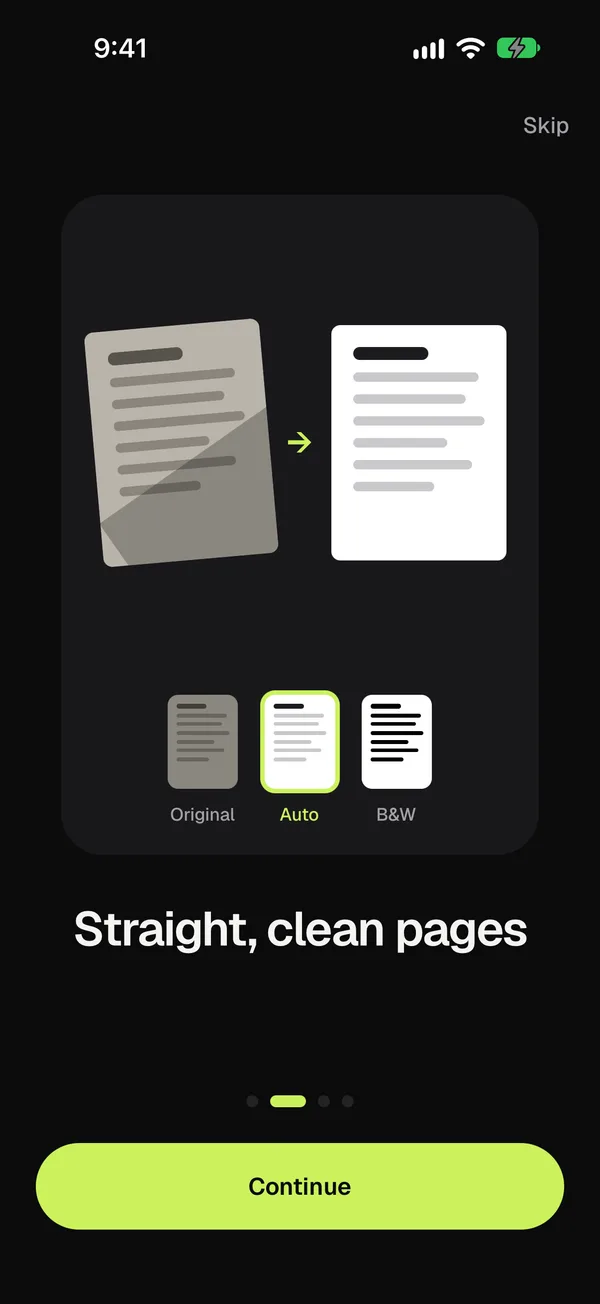
Copier is free for scanning and sharing pages as JPG, for up to 10 documents. It runs on iPhone, iPad and Android, and in the browser at app.thecopier.app, so it also works with a laptop’s webcam. It outlines the page live, takes it when you hold still, then straightens it (curled pages included), evens out the lighting and removes fingers at the edge, all on the device. There’s no account, no ads and nothing is uploaded.
PDF export and unlimited documents need Copier Pro, a one-time lifetime purchase, and there’s no text recognition yet. If you mostly send single pages as images, the free version is enough.
Which free scanner app to pick
- Occasional scans on iPhone: Notes or Files. Nothing to install.
- Occasional scans on Android, already using Google Drive: Drive’s scanner.
- Private scans on Android without paying: Genius Scan.
- Searchable PDFs for free: Adobe Scan, with an Adobe account.
- The same scanner on phone, tablet and computer, with nothing uploaded: Copier.
If the free version you choose starts asking for a subscription, our page on scanner apps without a subscription explains the one-time alternative.
Questions
What is the best free document scanner app?
On iPhone and iPad, the scanner built into Notes and Files is free, unlimited, makes PDFs and keeps pages on the phone. On Android, Google Drive's scanner is free and makes PDFs but saves them to your Drive; Genius Scan is a free alternative that keeps them on the phone.
Is there a completely free scanner app with no watermark?
Yes. Apple's Notes and Files scanner and Google Drive's scanner are free and add no watermark, and Copier's free version shares pages as JPG without one.
Which free scanner app has OCR?
Adobe Scan recognizes text on its free plan within a page limit, and Google Drive can read text from a scan by opening it in Google Docs. On iPhone, Live Text copies text from any scan for free.
Do I need to download a scanner app at all?
Often not. iPhones and iPads have a scanner in Notes and Files, and most Android phones have Google Drive's scanner. A separate app helps when you scan often and want a library, better clean-up or a scanner that works the same on every device.