 COPIER
CamScanner Alternatives Without the Subscription
The best CamScanner alternative depends on what made you look. If it’s the price, the free scanner built into your phone or a one-time purchase app like TurboScan Pro or Copier will do. If it’s privacy, pick an app that processes pages on the phone and doesn’t need an account. Below is how the main options compare, using what each app says on its own store listing.
Why people look for a CamScanner alternative
CamScanner works well and has a lot of features. The reasons people move on are about the business around it:
- Its Premium features are sold as weekly, monthly and yearly subscriptions.
- Its App Store privacy label lists identifiers and usage data as “used to track you”, and declares advertising data.
- Its Android app shipped a malicious advertising module in 2019, found by Kaspersky and removed after Google pulled the app. Our article is CamScanner safe? covers that history with sources.
- Its scans are known for the “Scanned with CamScanner” mark. Removing it has mostly been a Premium feature, although CamScanner said in 2022 that free accounts in the US can now remove it.
CamScanner alternatives compared
This table compares what each app’s store listing or developer says at the time of writing. Prices and plans change, so check the listing before you buy.
| App | Platforms | How you pay | Account to scan | Where scans are kept | Free PDF | Text recognition |
|---|---|---|---|---|---|---|
| Notes / Files scanner | iPhone, iPad | Free, built in | No | On the phone (Notes syncs with iCloud if on) | Yes | Live Text |
| Google Drive scan | Android | Free, built in | Google account | Uploaded to Drive | Yes | Via Google Docs |
| Adobe Scan | iPhone, Android | Free, subscriptions for Premium | Sign-in for online and paid features | Saved to Adobe cloud storage | Yes | Yes, limited on free |
| Genius Scan | iPhone, Android | Free, Plus and Ultra plans | No (only for Genius Cloud) | On the phone | Yes | Premium |
| TurboScan Pro | iPhone | One-time purchase | No | On the phone, optional iCloud Drive | Yes | Not listed |
| Copier | iPhone, iPad, Android, web | Free, one-time lifetime Pro (weekly plan too) | No | On the phone | Pro | No |
| CamScanner | iPhone, Android | Free, Premium subscriptions | Has accounts | Phone, optional cloud upload | Yes | Yes |
Microsoft Lens used to be on this kind of list. Microsoft retired it in 2026: it left the app stores on February 9 and stopped scanning on March 9. Microsoft now points people to OneDrive’s scanner, which saves to OneDrive.
CamScanner vs Adobe Scan
These are the two apps most people compare first. Going by their App Store listings:
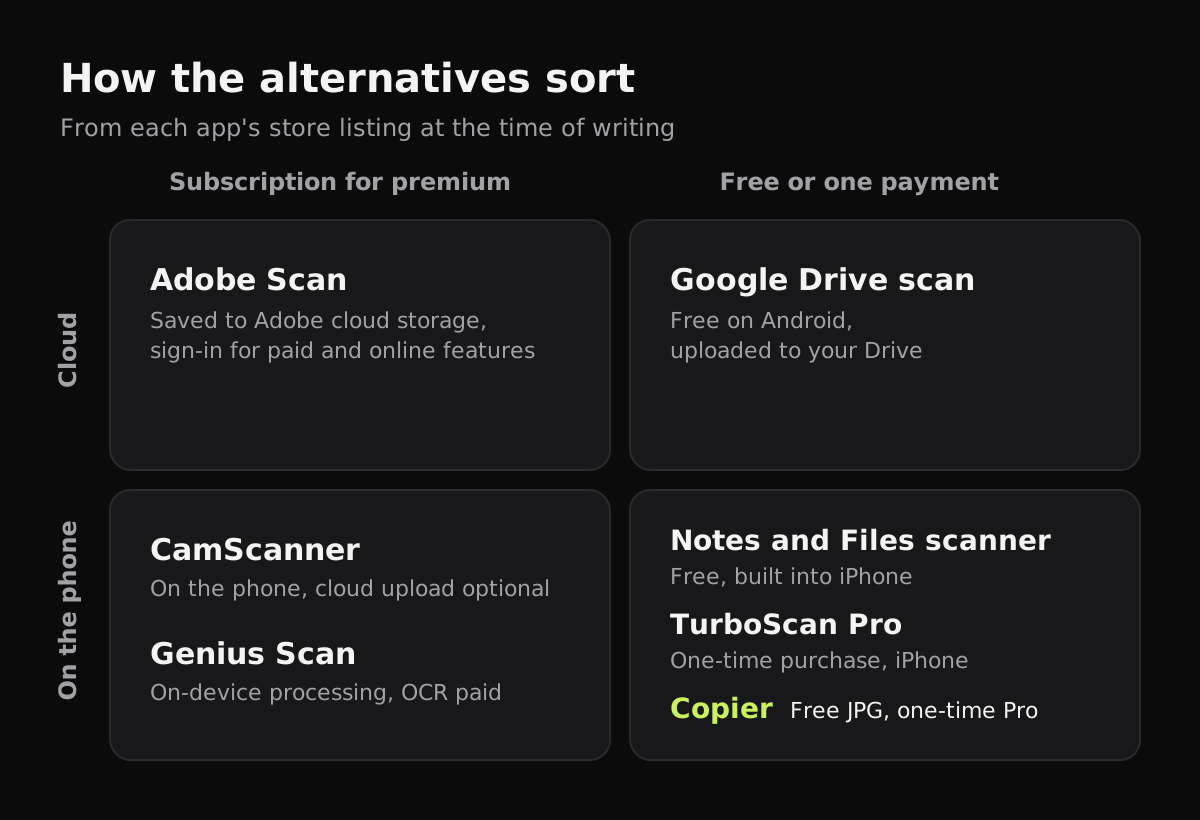
- Adobe Scan says scans are saved automatically to Adobe’s cloud storage, and its help pages say you need to sign in for subscription features and for free features that use online services. Its privacy label lists purchases, contact info, user content and identifiers as data linked to you.
- CamScanner says documents are stored on the device, with optional uploads to Dropbox, Google Drive, OneDrive and Evernote. Its label lists identifiers and usage data used to track you.
- Both recognize text and both sell premium subscriptions.
If you already pay for Adobe Acrobat, Adobe Scan fits in with it. If you want neither a subscription nor a cloud account, both are the wrong shape, and the apps below are a better fit.
An Adobe Scan alternative that stays offline
Genius Scan lists “on-device document processing” and says the app is free to use for as long as you want, including batch scanning and multi-page PDFs. Text recognition, cloud sync and some export options are part of its paid plans. It’s a sensible pick if you want a free app that doesn’t upload.
TurboScan Pro on iPhone is sold as “One-time purchase. No subscriptions.” Its privacy label says the developer collects no data.
A Genius Scan alternative with a one-time price
Copier runs on iPhone, iPad, Android and in the browser, with the same features everywhere. It shows the page’s outline live, takes the page when you hold still, then straightens it (curled pages included) and evens out the light on the phone. There’s no account, no ads or analytics, and nothing is uploaded.
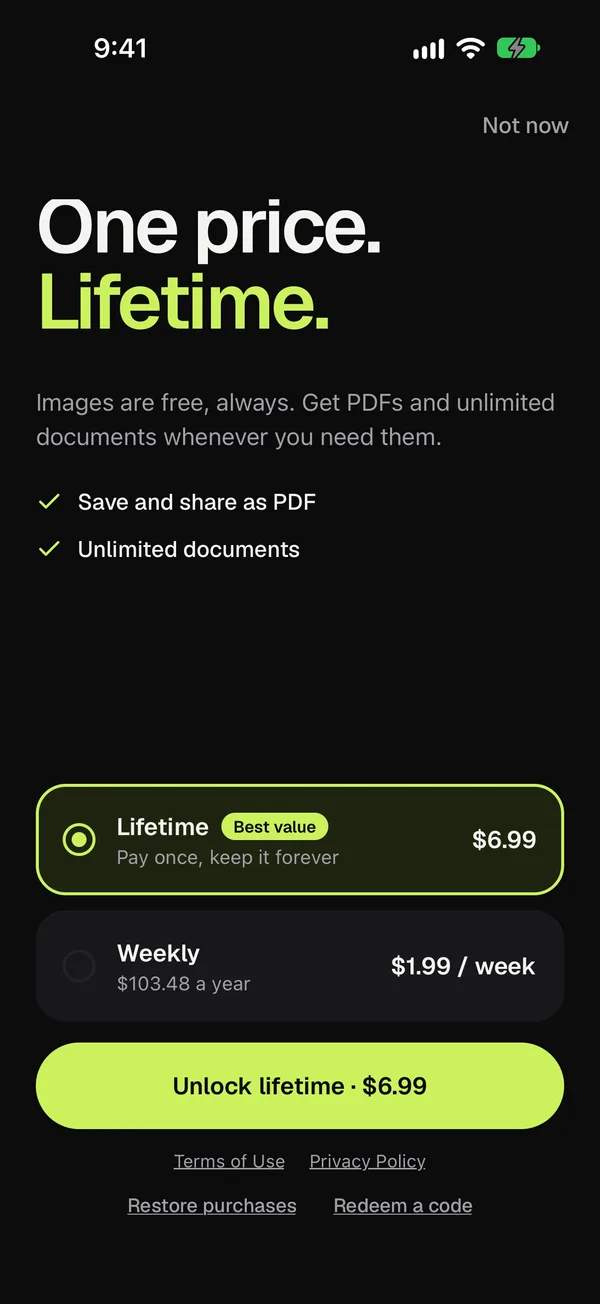
The free version scans and shares pages as JPG, for up to 10 documents. Copier Pro adds PDF export and unlimited documents, as a one-time lifetime purchase; a weekly plan exists for people who only need it briefly. It doesn’t recognize text or back up to the cloud yet, so if you rely on searchable PDFs, Genius Scan’s paid plan or Adobe Scan does that.
Which one to pick
- You scan a few things a year: use the built-in scanner. See how to scan in Notes on iPhone or Google Drive scan on Android.
- You want searchable PDFs: Adobe Scan or Genius Scan’s paid plan.
- You don’t want a subscription or an account: TurboScan Pro on iPhone, or Copier on any device. Our page on scanner apps without a subscription explains how the one-time model works.
Whatever you choose, scan one test page in airplane mode before trusting it with a passport or a tax return. If it scans and saves without a connection, the processing happens on your phone.
Questions
What is the best free alternative to CamScanner?
On iPhone, the scanner built into Notes and Files is free, makes PDFs and keeps pages on the phone. On Android, Google Drive's scanner is free but saves to your Drive. Genius Scan's free version also makes multi-page PDFs without an account.
Is Adobe Scan better than CamScanner?
They do similar jobs. Adobe Scan saves scans to Adobe's cloud and needs an Adobe sign-in for subscription and online features; CamScanner keeps documents on the phone with optional cloud uploads, and its App Store label lists data used for tracking. Both charge a subscription for their premium features.
Is there a scanner app with a one-time purchase?
Yes. TurboScan Pro on iPhone is sold as a one-time purchase, and Copier offers a one-time lifetime upgrade for PDF export alongside a free version.
What replaced Microsoft Lens?
Microsoft retired Lens in 2026 and points people to the scanner in OneDrive, which saves scans to OneDrive rather than to the phone.