 COPIER
How to Scan a Birth Certificate (Seal Included)
To scan a birth certificate, lay it flat on a dark surface, light it from one side so the raised seal casts a shadow, and scan the whole page in color, border and all, then scan the back if anything is printed on it. That gives you a clear copy for your records or an online form. A scan is not a certified copy, though: for a passport, Social Security or a driver’s license you’ll usually need the certified copy itself, which comes from a vital records office.
How to scan a birth certificate with your phone
- Unfold it and lay it flat. Birth certificates are often folded in thirds. Lay it on a dark, plain surface and put something light on the corners if it curls. Don’t press hard on the seal.
- Turn the flash off. It flattens the seal and can leave a bright spot on glossy security paper.
- Light it from one side. Daylight from a window beside the table works well. Light that comes in low across the page makes a raised seal stand out (more on that below).
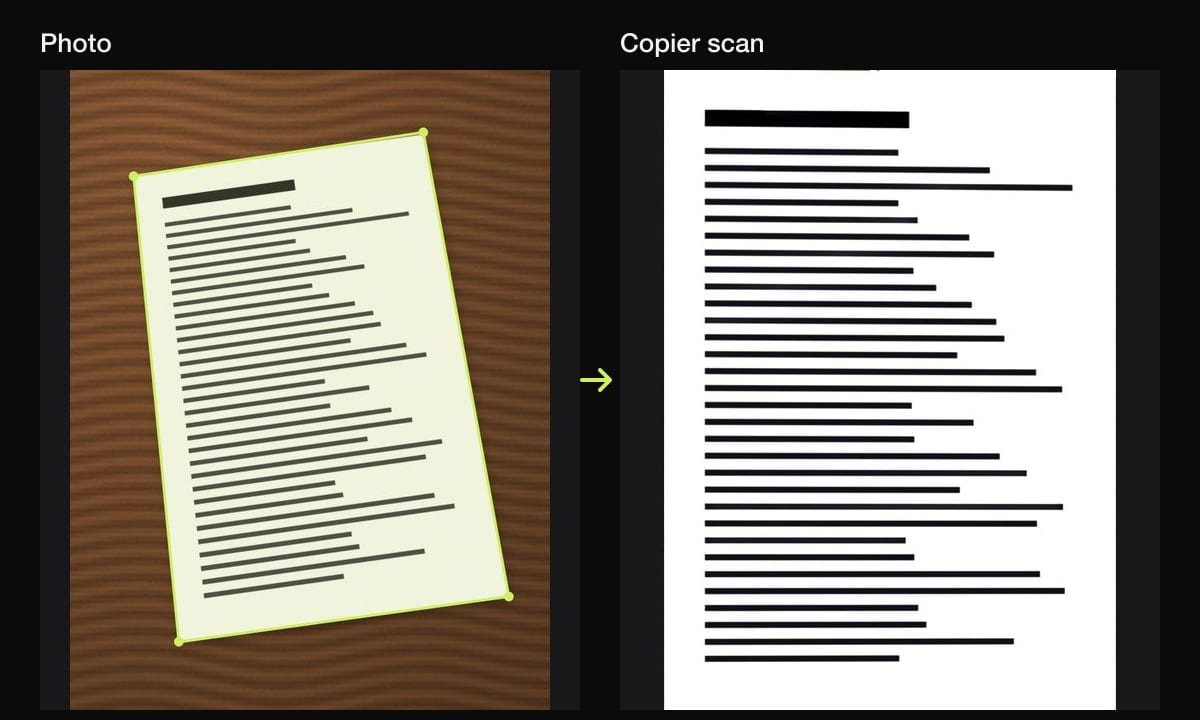
- Get the whole page in. All four edges, the decorative border, the seal and any stamps. A scanner that straightens the page lets you hold the phone at a slight angle if your shadow is in the way.
- Scan in color. Many certificates use colored security paper, colored seals or watermarks. Color shows they’re there.
- Scan the back if there’s anything on it: a stamp, a registrar’s note, an amendment.
- Check it. Zoom in on the names, dates, the certificate or file number, the registrar’s signature and the seal.
Making an embossed seal show up
A raised (embossed) seal is pressed into the paper rather than printed, so in flat, even light it all but vanishes. What makes it visible is shadow. When light comes from a low angle on one side, each raised edge of the seal throws a tiny shadow, and the pattern appears.
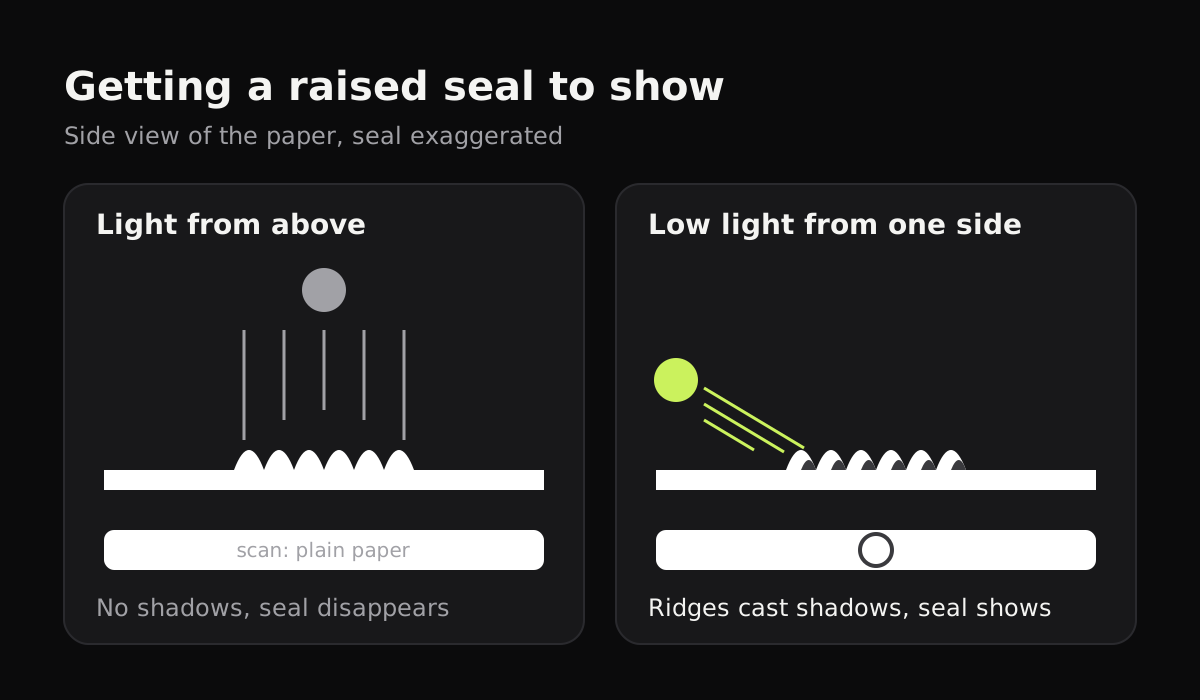
Some practical ways to get that:
- A window beside the table, with the room lights off.
- A desk lamp moved low to one side of the page, pointed across it rather than down at it.
- A second phone’s flashlight, held low at the side of the page. Keep the camera’s own flash off.
The catch is that scanner apps work hard to remove shadows. That’s what you want on an ordinary page, and the opposite of what you want on a seal. If the seal disappears, lower the strength of the look, or use one that leaves the photo as it is.
When is a scan enough?
A scan is a convenient copy. It isn’t proof of anything on its own, because anyone can edit an image. Agencies that need to confirm someone’s birth or citizenship generally ask for a certified copy, issued by the vital records office where the birth was registered, with the registrar’s seal and signature. Rules vary by agency and state, so check the form or the agency before you go.
| What you’re doing | What’s usually asked for | Is a scan enough? |
|---|---|---|
| Applying for a US passport | The original or a certified copy, plus a photocopy of the front (and the back, if printed) | No, you hand in the certificate itself |
| Social Security card or REAL ID driver’s license | An original or certified copy | No, check your state DMV or the SSA |
| Form I-9 for a new job, using a birth certificate | An original or certified copy | No |
| School, sports or club registration | Often a copy, sometimes the original to look at | Often yes; ask |
| Online form that asks you to upload the certificate | A clear image or PDF | Yes, follow the form’s file rules |
| Family records, genealogy, a backup | Anything readable | Yes |
For passports, the State Department’s page on citizenship evidence lists what a birth certificate needs to show and how the photocopy should be made. Hospital keepsake certificates, the ones with the baby’s footprints, aren’t accepted as proof of citizenship.
Where to get a certified copy
Certified copies come from the vital records office of the state or territory where the birth happened, and sometimes from a county or city office too. The CDC keeps a list of every office, with links and ordering details, at Where to Write for Vital Records. Most offices take orders online, by mail or in person, and charge a fee per copy.
If you were born abroad to US parents, the equivalent is usually a Consular Report of Birth Abroad, which comes from the State Department rather than a state office.
Scanning a birth certificate with Copier
Copier finds the page as you point the camera at it, takes it once you hold still, and straightens it on your phone. Nothing is uploaded and there’s no account, which suits a document that holds your full name, date and place of birth and your parents’ names.
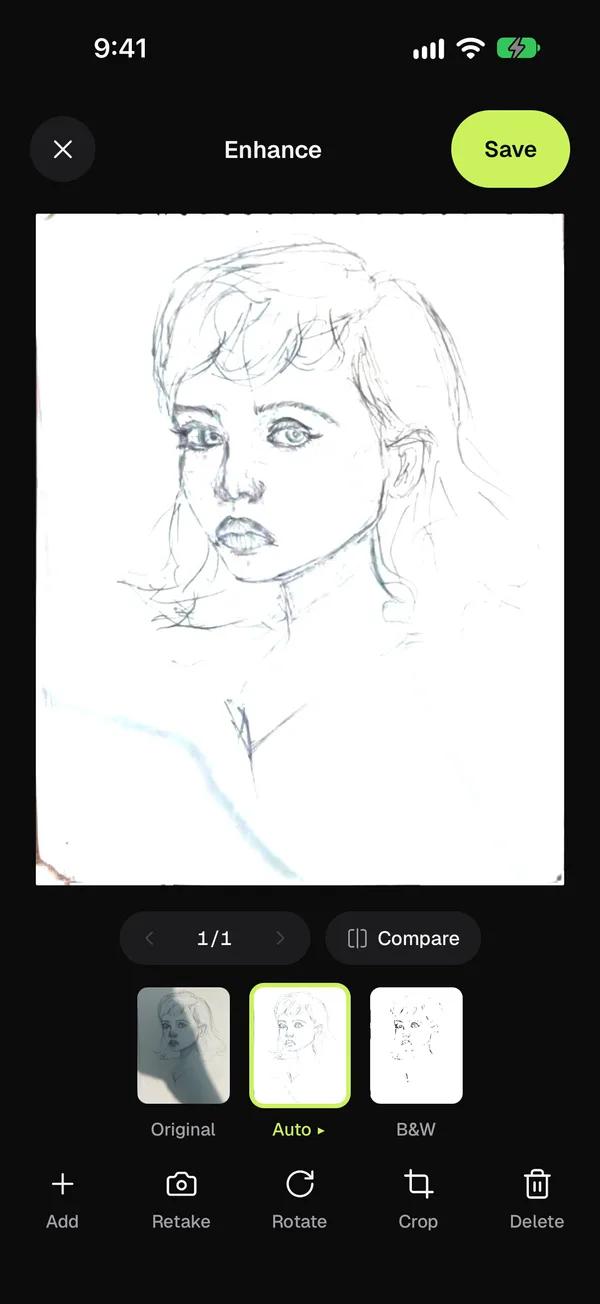
For a certificate, start with the Auto look: it keeps color and makes the paper white. Hold Compare to see the page before the look. If the raised seal has gone flat, tap Auto again and lower the strength with the slider, or pick Original, which leaves the photo exactly as taken. Use Add to put the back in the same document. Share it as JPG for free, or as PDF with Copier Pro.
Tips for keeping the original safe
- Don’t laminate it. Some passport and records offices won’t accept a laminated certificate as an original.
- Store it flat in a folder or envelope, away from damp and direct sun.
- Keep the scan somewhere private and back it up. If the original is lost, a scan gives you the file number and details to order a new certified copy.
- Order two certified copies if you’re applying for several things at once, since a passport application holds on to the one you send while it’s processed.
For other documents you may need alongside it, see how to scan a passport and how to scan an ID card. If your scans come out gray or shadowed, see how to get clean scans.
Questions
Is a scanned birth certificate a legal copy?
No. A scan or photocopy is not a certified copy. Certified copies are issued by the vital records office in the state or area where the birth was registered, and agencies like the State Department and Social Security ask for those.
How do I make the raised seal show up in a scan?
Light the page from a low angle on one side, for example from a window beside the table, so the raised seal casts small shadows. Scan in color and keep the look gentle, since strong shadow removal can flatten the seal.
Where do I get a certified copy of a birth certificate?
From the vital records office in the state or territory where the person was born. The CDC's Where to Write for Vital Records page links to each one, with how to order.
Can I upload a scan of my birth certificate for a US passport?
Not in place of the certificate. For a passport application you submit the original or a certified copy, plus a photocopy of the front, and of the back if anything is printed on it. Check the State Department's citizenship evidence page for the current rules.
Should I laminate my birth certificate?
No. A scan is a better way to protect it day to day, and some passport and records offices won't accept a laminated certificate as an original.