 COPIER
How to Scan a Whiteboard With Your Phone
To scan a whiteboard, turn off the flash, stand back until all four corners are in the frame, step slightly to one side so the light’s reflection isn’t on the writing, and capture it with a scanner app. The app straightens the angled shot into a rectangle and can turn the gray board white, so the marker stands out like ink on paper.
A plain photo of a whiteboard usually disappoints. The board comes out gray or blue, it’s a trapezoid because you shot it from a seat, and a ceiling light shines right in the middle.
Whiteboard photo problems and how to fix them
These are the common problems with a whiteboard photo, what causes them, and what to do about each.
| Problem | Cause | Fix while shooting | Fix afterward |
|---|---|---|---|
| Bright glare spot | Ceiling lights or a window reflecting off the glossy board | Step to one side; switch off the light nearest the board | Not really fixable; retake |
| Board looks gray or blue | The camera exposes for the whole room | Fill the frame with the board | A cleanup look that whitens the background |
| Board is slanted | Shot from a seat, at an angle | Get the four corners in view | Perspective correction in a scanner app |
| Faint or half-erased marker | Dry markers, old ghosting | Go over faint lines before you shoot | Raise the look’s strength |
| People or chairs in the way | Shot from the back of the room | Wait, or move closer | Crop |
| Colored markers all look black | A black and white filter | Nothing to change | Use a color look instead |
Fix the glare first
Glare is the one problem a scanner app can’t fix, because the writing under the reflection simply isn’t in the photo. Moving is the fix.
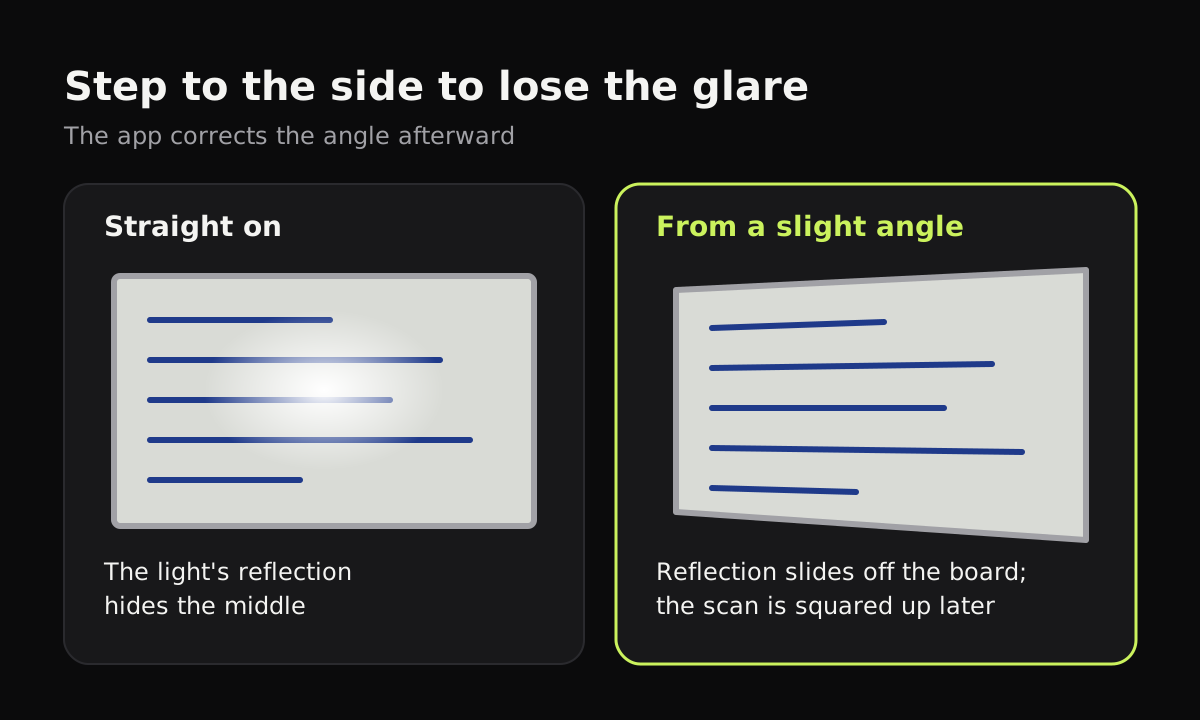
Reflections follow the same rule as a mirror: what you see depends on where you stand. Take a couple of steps left or right and watch the bright spot slide across the board on your screen. Once it’s off the writing, shoot. You can also lower the phone slightly so you’re looking up at the board, which pushes reflections of ceiling lights toward the top edge.
If you can, switch off the light closest to the board. A row of lights at the back of the room still gives plenty of light without the hot spot.
How to scan a whiteboard with your phone
- Turn off the flash. On a glossy board it makes a white spot exactly where you’re aiming.
- Stand back until all four corners of the board are in view, with a little wall around them. The app needs the corners to straighten the board.
- Step to the side if you see glare, as above. A small angle is usually enough, and the app corrects it.
- Hold still and capture with a scanner app, not the plain camera, so it detects the board and corrects the perspective.
- Check the corners. If the app picked up the frame or the wall instead of the board’s edge, drag the corners to the white area.
- Choose a look. A color cleanup look makes the board white and keeps marker colors; black and white works only for one-color boards.
- Save it with the meeting or lesson name and the date.
For a board too big to fit in one shot at a readable size, take it in two or three overlapping sections and keep them as separate pages, left to right.
Which look to use for a whiteboard
| Board | Look | Why |
|---|---|---|
| Several marker colors | Color cleanup (Auto) | Board turns white, red stays red, blue stays blue |
| One dark marker, mostly text | Black and white | Crispest text |
| Faint or ghosted board | Color cleanup at a higher strength | Pushes the ghosting toward white |
| Sticky notes on the board | Color cleanup (Auto) | Keeps the note colors, which often mean something |
| Photo of the room, for the record | Original | No changes |
Scanning a whiteboard in Copier
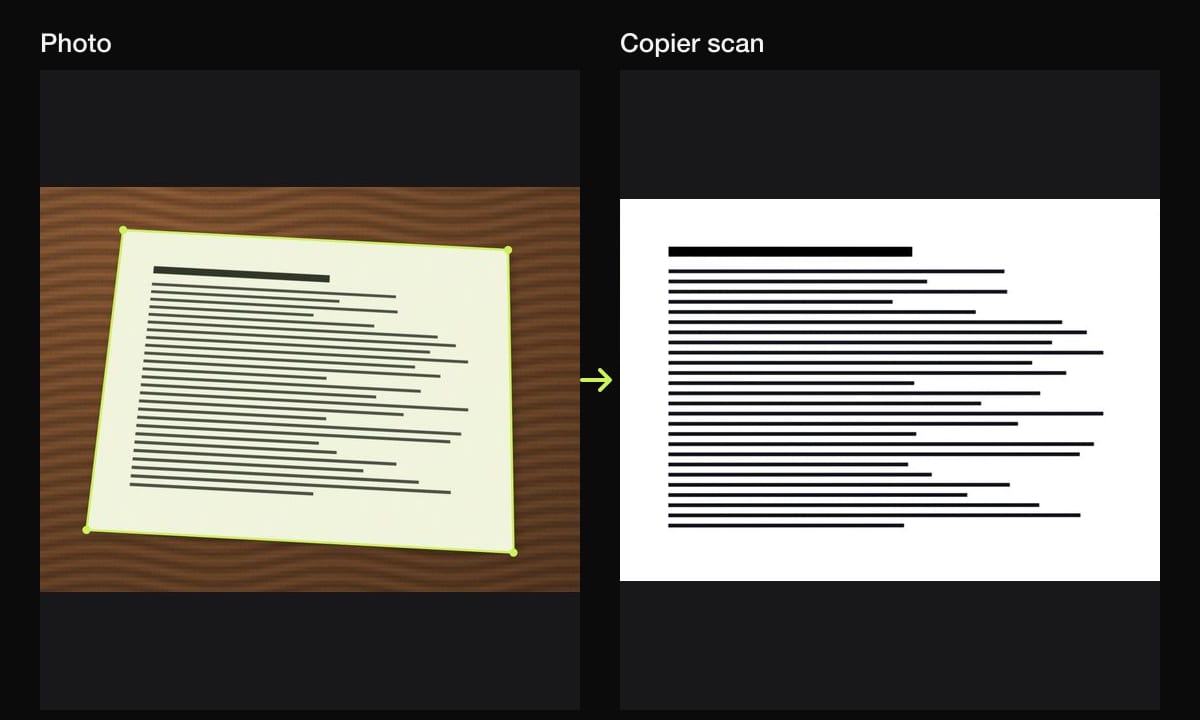
Copier looks for the board’s edges as you point the camera, then cuts the board out and straightens it, so a shot from your seat comes out square. Choose Auto on the Enhance screen: it works out the color of the board across the whole surface and makes it white, which removes the gray and the color cast from room lighting, while marker colors stay. For a single-color board, B&W gives the crispest result. Tap the picked look again to adjust the strength if old ghosting still shows.
If Copier outlines the aluminum frame or a poster instead of the board, open Crop and drag the corners onto the board. Because Copier keeps the original photo, you can re-crop or change the look later. Wide boards go into a PDF on a landscape A4 page. Everything stays on your phone, with no account, and sharing as JPG is free.
Other whiteboard scanner apps
Any document scanner works on a whiteboard: the scanners in Notes on iPhone, Google Drive on Android, and dedicated apps. Microsoft Lens used to have a dedicated Whiteboard mode, but Microsoft has retired the Lens app; scanning in it stopped working on March 9, 2026. Microsoft now points people to the scanner in the OneDrive app.
Tips for meetings and classes
- Scan before anyone reaches for the eraser. Make it the last thing in the meeting.
- One board, one page. If you scan several boards, use batch mode so they end up in one document.
- Share right away. A whiteboard scan is most useful in the follow-up email: see how to email a scanned document.
- Pick the file type for the job. A JPG is easy to paste into chat; a PDF is better for several boards. PDF vs JPG explains when to use which.
For class notes taken on paper, how to scan handwritten notes covers pencil and lined paper, and how to get clean scans goes deeper on glare and shadows.
Questions
How do I take a clear picture of a whiteboard?
Turn off the flash, stand far enough back to get the whole board in, step a little to the side so the light's reflection moves off the board, and use a scanner app to straighten it and turn the gray board white.
How do I get rid of glare on a whiteboard photo?
Move rather than edit. Shoot from a slight angle so the reflection of the ceiling lights falls outside the board, or switch off the light nearest the board. A scanner app corrects the angle afterward.
Why does my whiteboard photo look gray?
The camera exposes for the whole scene, so a white board under room light comes out gray or blue. A document cleanup look evens out the light and makes the board white while keeping the marker colors.
Should I use black and white for a whiteboard scan?
Only if everything is written in one dark marker. Black and white turns red, green and blue marker into the same black, so use a color cleanup look when the colors mean something.