 COPIER
How to Scan Books With Your Phone (Without Cutting Them)
To scan books with your phone, lay the book open in even light, use a scanner app in batch mode, and capture one page at a time so each page fills the frame. A good scanner app finds each page, flattens it and lines the scans up in order, so you can save a chapter as one PDF. For hundreds of pages, an overhead book scanner or an app that splits two-page spreads will save you time.
Books are harder than loose paper for one reason: they don’t open flat. The pages curve down into the spine, and that curve bends lines of text. Most of the tips below are about handling that curve.
Ways to scan a book compared
There are four practical ways to scan book pages, from a phone in your pocket to a service that does it for you. Your first chapter will be slower than any of them suggest.
| Method | Speed | Page quality | Harm to the book | Best for |
|---|---|---|---|---|
| Phone and scanner app | Quick once you have a rhythm | Good; curves near the spine | None | A chapter, a recipe book, notes for class |
| Flatbed scanner | Slow: open, press, scan, turn | Sharp and even, but the gutter is blurred and dark | Pressing the spine flat can crack it | A few pages from a thin book |
| Overhead book scanner | Fast, with a foot pedal on some models | Very good; software flattens the curve | None | Whole books, archives, libraries |
| Scanning service | No work for you | Depends on whether they cut the spine | Often destructive: the spine is cut off and pages run through a sheet feeder | Books you don’t need to keep intact |
One page or two per shot?
You can photograph both pages of an open book at once, or one page at a time. One at a time takes twice as many shots but gives better pages.
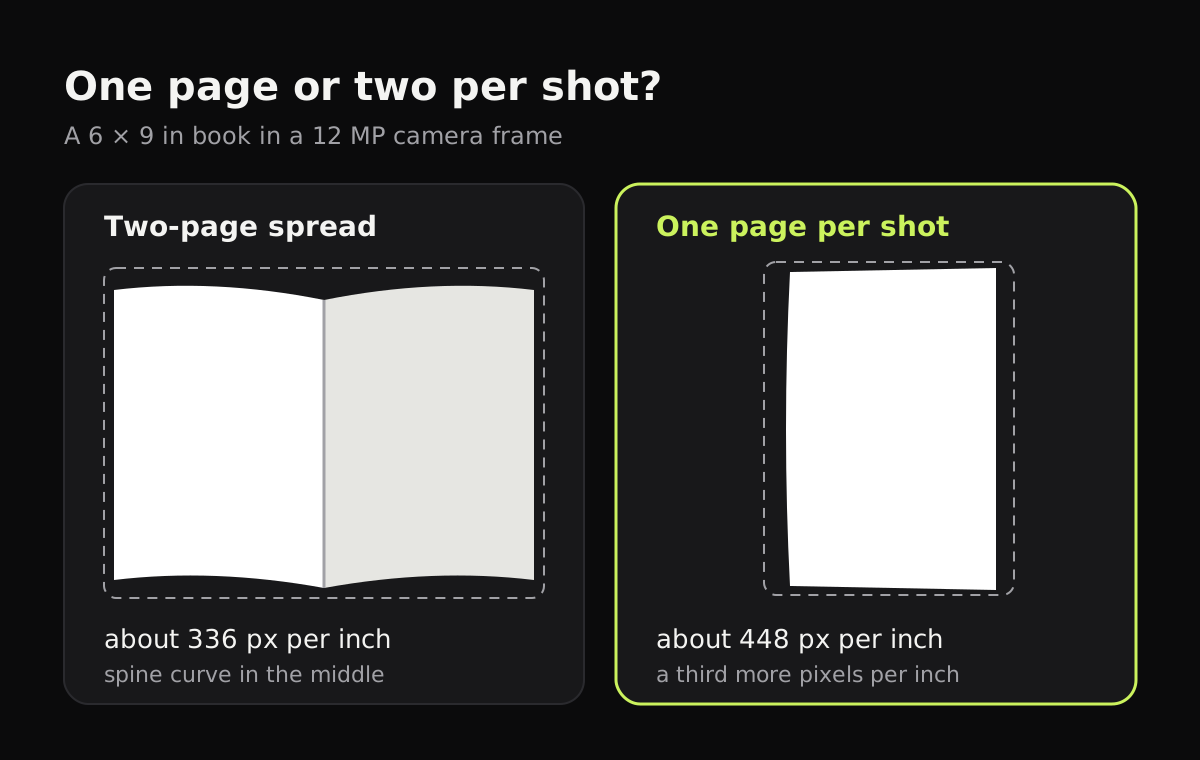
The numbers come from a common 6 × 9 inch book and a 12 MP camera (4032 × 3024 pixels). A two-page spread is 12 × 9 inches, which fits the frame at about 336 pixels per inch. A single 6 × 9 page turned upright fits at about 448 pixels per inch. That’s roughly a third more detail on each page, and the deep curve at the spine sits at the edge of the shot instead of in the middle.
Two pages per shot makes sense when you have an app that splits them for you and the text is large. Otherwise, go one page at a time.
How to scan book pages with your phone
- Pick the spot. A table near a window, or under two lamps placed on either side, gives even light. Turn the flash off: it makes a bright patch on the curved paper.
- Open the book on a dark surface. A dark tablecloth or desk makes the page edges easy to find.
- Support the spine. Put a folded towel or a book wedge under each cover so the book opens wider without strain. The flatter the pages, the straighter the text.
- Hold the pages flat at the outer edge with a fingertip, not across the text. Some apps remove fingers at the edge of a page.
- Switch to batch mode so the camera stays open between pages.
- Frame one page, let it capture, turn the page, and repeat. Do all the right-hand pages, then flip the book around for the left-hand pages if it’s easier, and reorder at the end.
- Check each page for blur, a missing line at the bottom, or your hand in the shot, and retake those.
- Save as one PDF, named after the book and chapter.
Book scanner apps
A book scanner app is any scanner app that handles curved pages and many pages in a row. Some go further:
- Adobe Scan has a Book mode that splits each capture into two pages, and you can move the divider to the spine if it’s off.
- vFlat Scan captures both pages of an open book, flattens the curve and saves them as separate pages.
- The scanners built into iPhone Notes and Google Drive work fine for a few pages, but they don’t split two-page spreads.
Scanning books with Copier
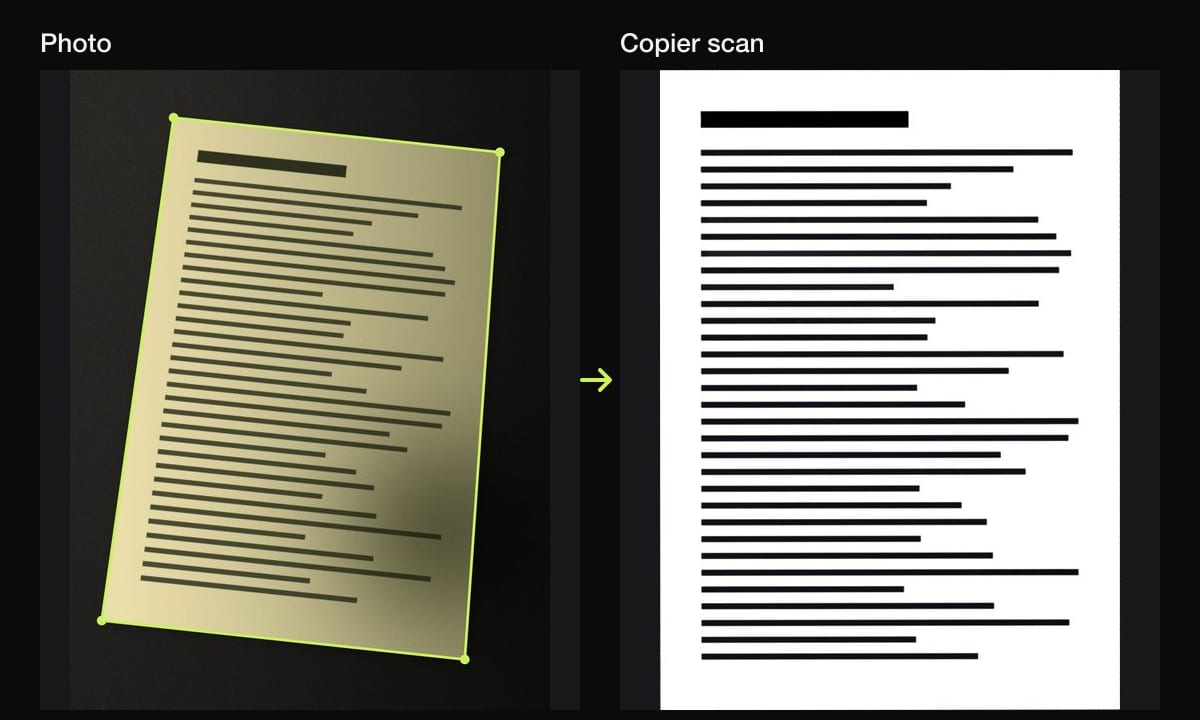
Copier scans one page per shot. Use Batch so the camera stays open, hold still for about a second over each page and Auto capture takes it. Copier follows each edge of the page, and when an edge bows, as the top and bottom of a book page do, it straightens the page along that curve instead of only its four corners, so lines of text come out straighter. It works best when you can see all four edges of the page; if the inner edge disappears into the gutter, drag that corner by hand with Crop.
It doesn’t split two-page spreads. The Book mode on the camera tags the document so you can filter for it in your library; capture works the same. For text pages, B&W gives the crispest text, and Auto keeps illustrations in color. Pages stay on your phone, with no account. JPG sharing is free, and saving the whole book as one PDF needs Copier Pro.
Copyright: what you can do with the scans
Copyright law differs by country, so this isn’t legal advice. In general, scanning a book you own for your own reading, study or accessibility is treated very differently from sharing those scans. Uploading or sending scans of an in-copyright book to other people without permission is usually infringement, even if you bought the book. Public domain books (in the US, most books published before 1931 as of 2026) are free to scan and share. Many of them are already scanned at Project Gutenberg, the Internet Archive or HathiTrust, so check there first.
Tips for a long book scanning session
- Scan in chapters. A 300-page PDF is hard to check and slow to share. Save one document per chapter.
- Keep the phone at the same height. A stack of books under your elbow, or a cheap phone stand, keeps every page the same size.
- Watch the battery. The screen and camera are on the whole time.
- Check the last page of every chapter before you move on. It’s easy to miss when you’re turning pages quickly.
- Shrink before sending. Text pages in black and white are small; see how to make a scanned PDF smaller if a whole book is still too big.
If you want the text itself, to search or copy it, you need OCR after scanning: how to scan text from an image covers free tools. For loose pages, how to scan multiple pages into one PDF has the steps for every device. Sheet music books have their own problems, covered in how to scan sheet music.
Questions
What is the easiest way to scan a book?
Use a scanner app on your phone, lay the book open in good light, and scan one page at a time in batch mode. The app straightens each page, and you save everything as one PDF at the end.
Can I scan a book without damaging it?
Yes. A phone or an overhead book scanner works with the book open face up, so the spine isn't pressed flat. Avoid pushing a thick book down hard on a flatbed's glass.
Is there an app that splits two book pages into separate pages?
Yes. Adobe Scan has a Book mode that splits each capture into two pages, and vFlat Scan captures both pages of an open book and saves them separately.
Is it legal to scan a book?
It depends on the book and your country. Scanning a book you own for your own study is treated very differently from sharing the scans, and sharing scans of an in-copyright book without permission is generally an infringement.