 COPIER
How to Scan a Document on Mac With Your iPhone
To scan a document on Mac with iPhone, Control-click where you want the scan on the Mac, choose Insert from iPhone or iPad, then Scan Documents. The scanner opens on your iPhone by itself. Scan the pages, tap Save, and a PDF appears on the Mac in that note, email or folder. Apple calls this Continuity Camera, and it needs no cable or app.
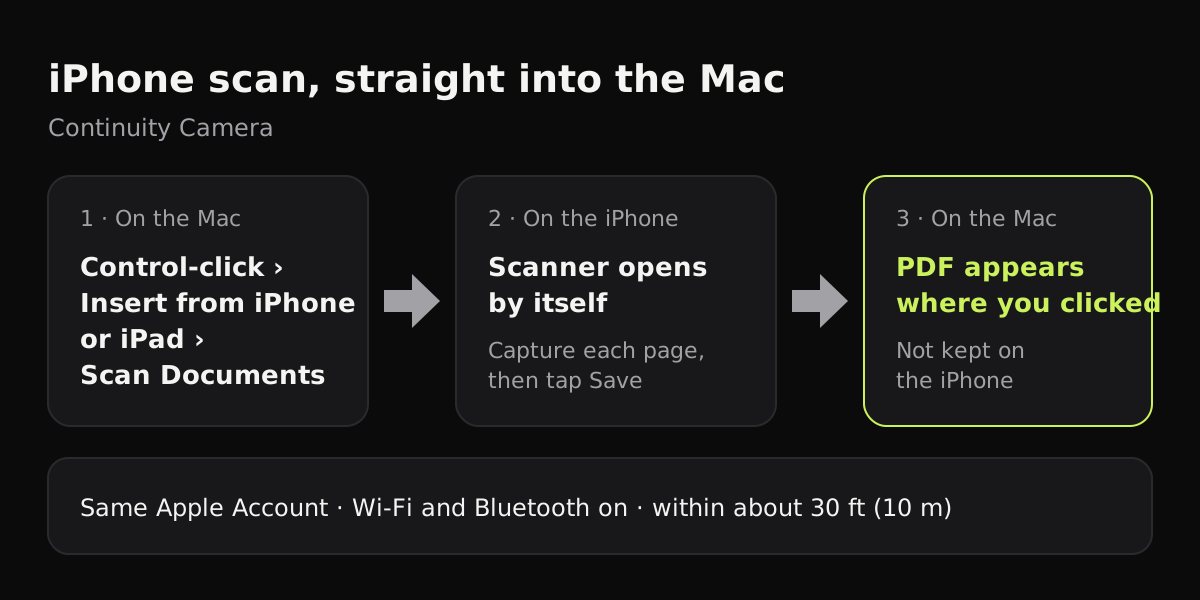
What you need for a Continuity Camera scan
Continuity Camera has been on the Mac since macOS Mojave, so most Macs in use today have it. The conditions that trip people up are the ones about the connection, not the age of the hardware.
| Requirement | Mac | iPhone |
|---|---|---|
| Software | macOS Mojave 10.14 or later | iOS 12 or later |
| Hardware | MacBook (2015 or later), Mac Pro (2013 or later), other Macs 2012 or later | Any iPhone that runs iOS 12 or later |
| Apple Account | Signed in | Same account as the Mac |
| Wi-Fi and Bluetooth | On | On |
| Distance | Within about 30 feet (10 meters) of the iPhone | Within about 30 feet of the Mac |
An iPad works the same way in place of the iPhone, with the same requirements.
How to scan from iPhone to Mac with Continuity Camera
- On the Mac, decide where the scan should go. Open a note, start an email, or open a Pages document, and Control-click at the spot you want it. You can also Control-click the desktop or the inside of a Finder window.
- Choose Insert from iPhone or iPad (in Finder it may read Import from iPhone or iPad), then Scan Documents. If more than one device is nearby, the menu lists each one; pick the iPhone.
- Pick up the iPhone. The document scanner is already open on it. Hold it over the page with all four corners in view.
- The iPhone finds the edges and takes the page. If it gets the frame wrong, drag the corners, then tap Keep Scan or Retake.
- Scan the next page, or tap Save when you’re done.
On the Mac, the scan appears where you clicked. In Notes, Mail, Pages and the other apps it’s dropped into the document as a PDF. On the desktop or in a Finder folder it shows up as a file. Some apps also let you open File or Insert in the menu bar and find the same Insert from iPhone or iPad item there.
One thing to know before you rely on it: scans made this way aren’t saved on the iPhone. If you close the email draft without sending, the scan is gone, so for anything important start from the desktop or a folder, which leaves a file behind.
Apps that support Scan Documents from iPhone
| App on the Mac | Where the scan goes |
|---|---|
| Finder (desktop or a folder) | A new file in that folder |
| Notes | Into the open note |
| Into the message you’re writing | |
| Messages | Into the message field |
| TextEdit | Into the document |
| Pages 7.2, Numbers 5.2, Keynote 8.2 or later | Into the document, sheet or slide |
| Freeform | Onto the board |
If you want to sign the scan once it’s on the Mac, Preview opens it and its Markup tools add a signature. How to sign a document on iPhone covers the same tools on the phone.
If the Insert from iPhone option is missing or grayed out
Most failures come down to the conditions in the first table. Work through them in this order:
- Check the Apple Account on both devices. On the iPhone it’s at the top of Settings; on the Mac it’s at the top of System Settings. They have to match exactly.
- Turn Wi-Fi and Bluetooth off and on again on both devices.
- Bring the iPhone closer to the Mac and wake its screen.
- Try a different app. If it works in Notes but not in the app you were using, that app doesn’t support Continuity Camera.
- Restart both devices if nothing else helps.
Other ways to get a scan from iPhone to Mac
Continuity Camera is the quickest when you’re sitting at the Mac. When you aren’t, scan on the iPhone first and move the file afterwards.
| Method | How | Where it ends up on the Mac |
|---|---|---|
| AirDrop | Scan, tap Share, then AirDrop and pick the Mac | The Downloads folder |
| Notes with iCloud | Scan into a note on the iPhone | The same note in Notes on the Mac |
| Files with iCloud Drive | Scan into a folder in iCloud Drive | That folder in Finder |
| Email to yourself | Share the scan to Mail | Your inbox |
The iCloud routes keep a copy on both devices, which Continuity Camera doesn’t. How to scan in Notes on iPhone walks through the Notes scanner, and where do scanned documents go on iPhone explains where each built-in scanner saves.
Using a scanner app and AirDrop
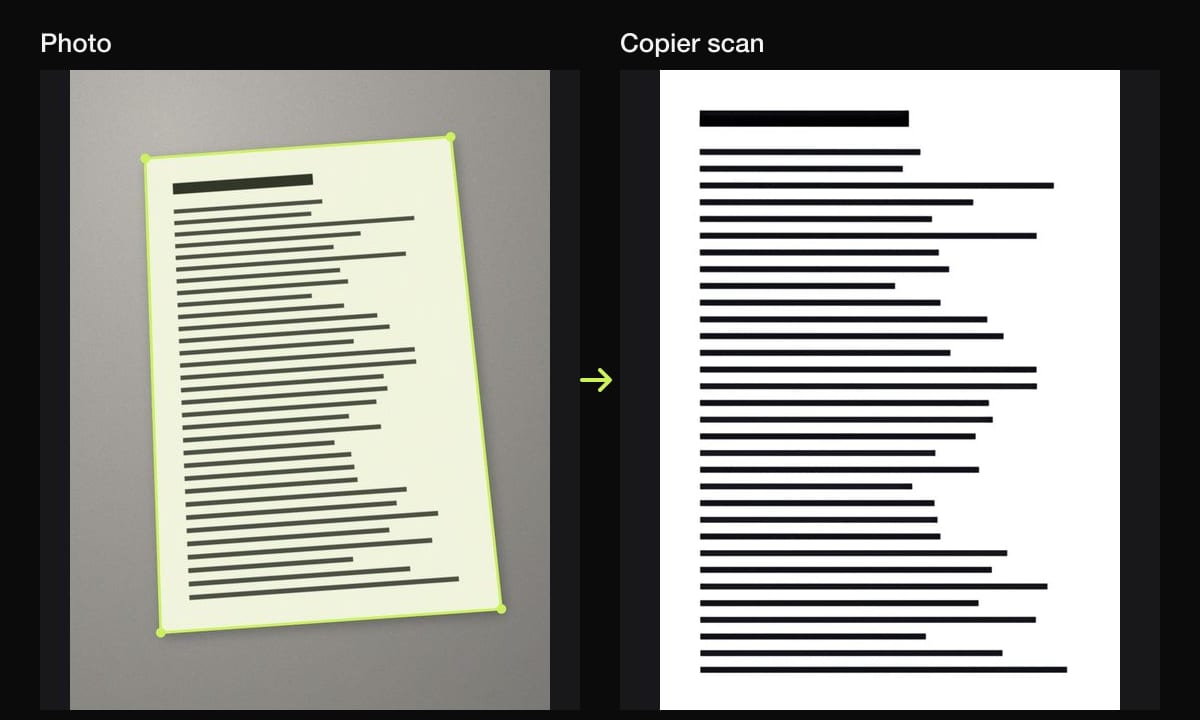
A scanner app is the AirDrop route with more cleanup on the page. Copier finds the page in the viewfinder, straightens it, and evens out the light so the paper is white and shadows from a desk lamp or your hand drop away. A sheet that won’t lie flat is straightened along its curved edges.
To get it onto the Mac, open the document, tap share, and pick the Mac under AirDrop. Sharing pages as JPG is free for up to 10 documents; PDF export and unlimited documents come with Copier Pro, a one-time lifetime purchase (there’s also a weekly plan). There’s no account, nothing is uploaded, and the app works offline, so the pages only leave the phone when you send them.
Copier doesn’t have a Continuity Camera mode, so if you want the scan to appear inside a Mac document as you work, use Insert from iPhone or iPad.
Tips for cleaner scans on the Mac
- Start from a Finder folder for anything you’ll need later. It gives you a file right away, and you can drag it into an email or document after.
- Rename the file straight away. A folder full of identically named scans is hard to search.
- Put the page on a dark surface. The iPhone finds the edges faster when the paper stands out.
- Turn off the flash for glossy paper, which throws the light back as a white patch. How to get clean scans covers shadows, curls and glare.
- For a multi-page document, scan every page in one session before you tap Save, so they arrive as one PDF.
Questions
How do I scan a document from my iPhone to my Mac?
On the Mac, Control-click in a note, an email, a document or the desktop, choose Insert from iPhone or iPad, then Scan Documents. The scanner opens on your iPhone. Scan the pages, tap Save, and the PDF appears on the Mac where you clicked.
Why isn't Continuity Camera scan showing up on my Mac?
Check that both devices are signed in to the same Apple Account, that Wi-Fi and Bluetooth are on for both, and that they're within about 30 feet (10 meters). The option also only appears in apps that support it, such as Finder, Notes, Mail, Messages, TextEdit, Pages, Numbers, Keynote and Freeform.
Does a Continuity Camera scan stay on my iPhone?
No. Apple says scans taken this way aren't saved on the iPhone or iPad. The only copy is the one on the Mac.
Can I scan to my Mac without Continuity Camera?
Yes. Scan on the iPhone in Notes, Files or a scanner app, then send the PDF by AirDrop. AirDropped files land in the Downloads folder on the Mac.