 COPIER
How to Scan Polaroids and Instax Photos
To scan Polaroids, put the print on a dark surface, light it from the side with the flash off, and shoot it straight on with your phone, keeping the white frame and the original colors. For the most detail, scan it on a flatbed at 1200 dpi, because instant photos are small. Glare is the main problem with phone scans, and the fix is mostly about where the light comes from.
Polaroids and Instax prints are a bit different from ordinary photos. The surface is glossy, the picture is small, and the white frame is part of the photo. A document filter is the wrong tool for any of that.
Polaroid and Instax sizes
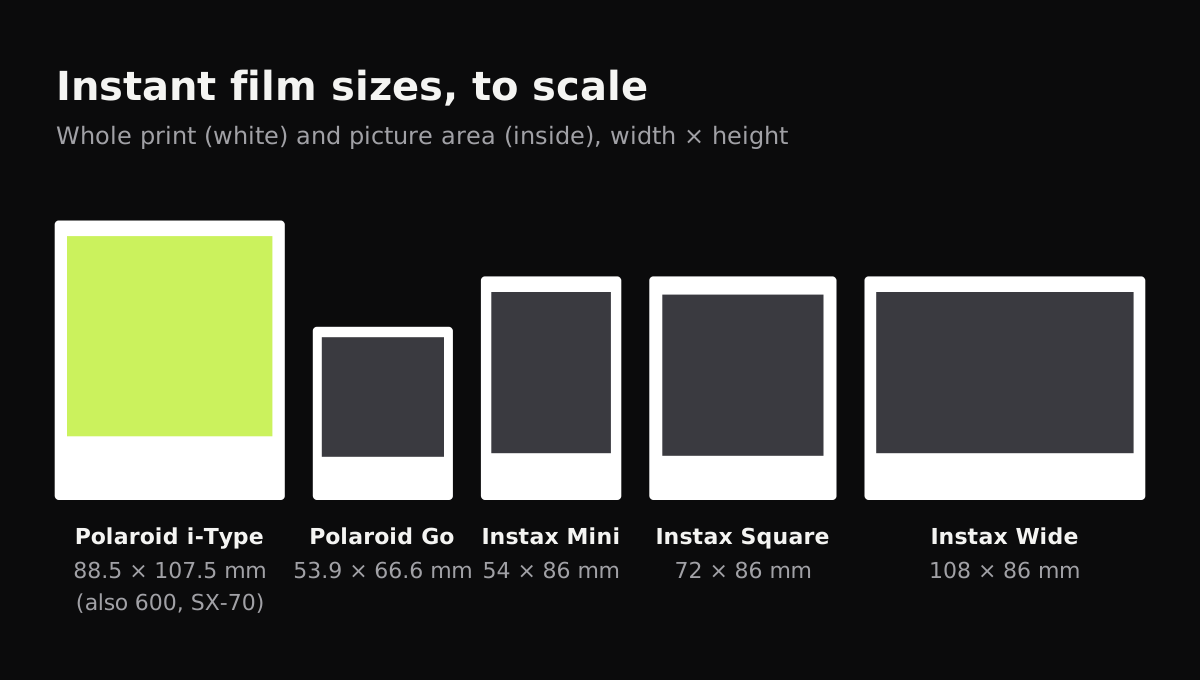
Knowing the size helps you set the DPI and frame the shot. These are the print and picture sizes for current formats, from Polaroid’s size guide and Fujifilm’s instax film specs.
| Format | Whole print (W × H) | Picture area (W × H) |
|---|---|---|
| Polaroid i-Type, 600, SX-70 | 88.5 × 107.5 mm (3.5 × 4.2 in) | about 79 × 77 mm (3.1 × 3.0 in) |
| Polaroid Go | 53.9 × 66.6 mm | 47 × 46 mm |
| Instax Mini | 54 × 86 mm (2.1 × 3.4 in) | 46 × 62 mm (1.8 × 2.4 in) |
| Instax Square | 72 × 86 mm (2.8 × 3.4 in) | 62 × 62 mm (2.4 × 2.4 in) |
| Instax Wide | 108 × 86 mm (4.3 × 3.4 in) | 99 × 62 mm (3.9 × 2.4 in) |
What DPI to scan Polaroids at
Because the pictures are small, the usual 600 dpi for photos gives you less than you might expect. This table shows the pixels you get across the picture area alone.
| Format | 600 dpi | 1200 dpi | Prints well up to (at 300 ppi, from 1200 dpi) |
|---|---|---|---|
| Polaroid i-Type / 600 | about 1860 × 1820 px | about 3730 × 3640 px | about 12 × 12 in |
| Instax Mini | about 1090 × 1460 px | about 2170 × 2930 px | about 7 × 10 in |
| Instax Square | about 1460 × 1460 px | about 2930 × 2930 px | about 10 × 10 in |
| Instax Wide | about 2340 × 1460 px | about 4680 × 2930 px | about 16 × 10 in |
Use 1200 dpi for anything you might print bigger or crop. 600 dpi is fine for sharing on a screen.
How to scan Polaroids on a flatbed
A flatbed gives you even light and no reflections, so it’s the best tool for a collection you care about.
- Wipe the scanner glass and the print with a microfiber cloth. Dust shows up clearly on the dark areas of instant film.
- Lay the prints face down. Several fit on the glass at once, with a little space between them.
- Choose color photo mode and 1200 dpi.
- Turn off automatic color correction if your software has it, or compare a scan with and without. Instant film has its own color, and “correcting” it can make it look like an ordinary digital photo.
- Crop each print out with its frame, and save as high-quality JPG or TIFF.
Don’t press down hard on the lid. Instant prints are made of several sealed layers, and heavy pressure can damage old ones.
How to scan Polaroids with your phone
A phone is faster and good enough for most people’s albums, as long as you handle the gloss.
- Turn the flash off. On a glossy Polaroid it always leaves a white blotch.
- Use soft light from one side, like a window with indirect daylight. A light straight above you will reflect in the picture.
- Put the print on something dark and plain. The white frame then stands out clearly, which helps a scanner app find the edges.
- Hold the phone parallel to the print and close enough that it fills most of the screen. An Instax Mini is small, so you’ll be close; let the camera focus before you shoot.
- Tilt a few degrees if you see a reflection. Watch the dark parts of the picture, where glare shows first.
Scanning instant photos with Copier
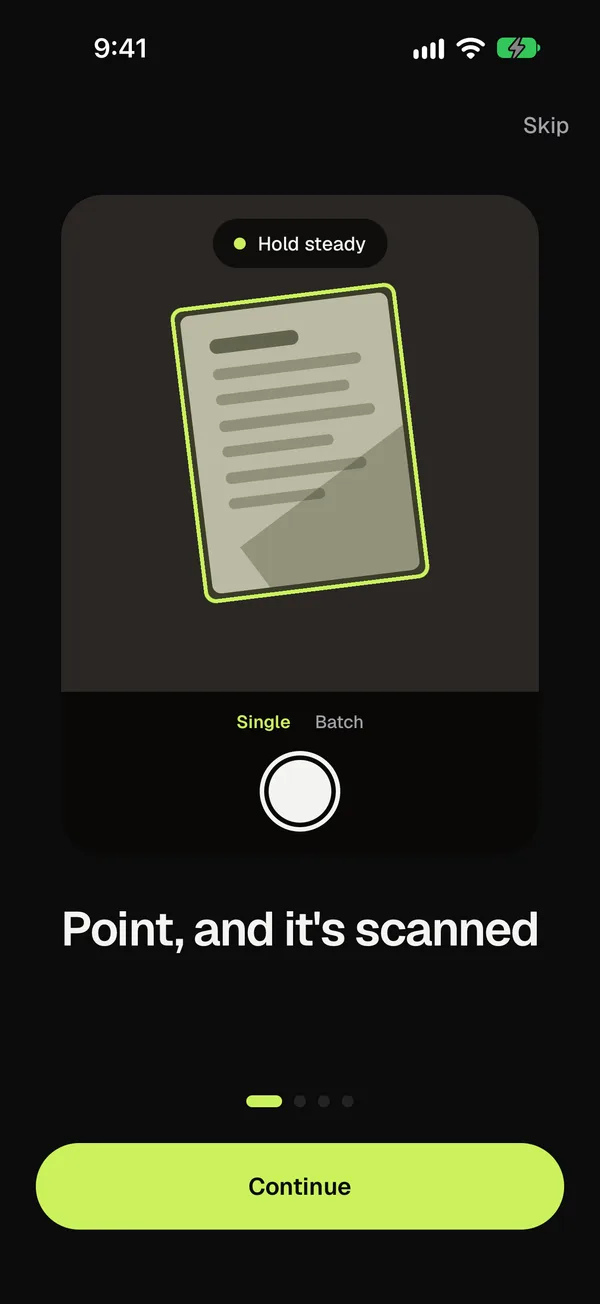
Copier looks for the print’s edges, which the white frame makes easy to see on a dark table, then cuts the print out and squares it up even if you shot it at an angle. Pick the Original look on the Enhance screen to keep the colors exactly as they are; Auto is meant for documents and would whiten more than the frame. Use Batch to go through a stack of prints without leaving the camera, and Crop if a print with a dark picture edge needs its corners adjusted. Everything runs on your phone, with no account, and sharing as JPG is free.
Getting the colors right
Instant film colors are part of why people keep these photos. Faded blues, warm skin tones and soft shadows are the look, and a document scanner’s whitening filter flattens all of it.
- Keep the original colors on the phone, or turn off auto color correction on a flatbed.
- Shoot in daylight or under one kind of light. Mixing warm lamps with daylight from a window gives a color cast that’s hard to fix later.
- If a print has faded, a little contrast or saturation in your photo editor can bring it back, but do it on a copy and keep the untouched scan.
Tips for a Polaroid scanning session
- Write the date and names on the back of the print before you scan, not after, so the info goes with both the print and the scan.
- Scan the back too if someone wrote on it. A second capture of the back takes seconds.
- Name the files with the year and who’s in them, like “1998 Dad and Max, lake”.
- Store the originals flat, away from heat and sunlight, once they’re scanned.
For loose photo prints, the same habits apply, with a few more choices: see how to scan photos. A whole album of instant photos can also go into one file, as in how to scan multiple pages into one PDF. If you’re on an iPhone, how to scan photos on iPhone covers the built-in options. Glare and color casts are also covered in how to get clean scans.
Questions
What DPI should I scan Polaroids at?
Use 1200 dpi on a flatbed. A Polaroid's picture area is only about 3.1 inches wide and an Instax Mini's about 1.8 inches, so 600 dpi gives a fairly small file if you want to print it larger.
How do I scan a Polaroid without glare?
Turn off the flash, light the print from the side with soft light, and tilt the phone a few degrees so any reflection slides off the picture. A flatbed scanner avoids glare completely.
Should I scan the white border of a Polaroid?
Yes. The frame is part of the look, and it's where people write dates and names. You can always crop it off a copy later.
What size is a Polaroid picture?
An i-Type, 600 or SX-70 print is 88.5 × 107.5 mm (about 3.5 × 4.2 in), with a square picture area of about 79 × 77 mm (3.1 × 3.0 in).