 COPIER
How to Scan Photos on iPhone Without Glare
To scan photos on iPhone, lay the print flat in soft, even light, turn off the flash, hold the phone straight above it, and use an app that crops and straightens the print. The Notes and Files scanners can do it with their Photo filter, Google’s free PhotoScan app removes glare, and a scanner app such as Copier keeps the colors as they are with its Original look. Glare is the main thing that spoils phone scans of prints, so most of this guide is about light.
Set up before you scan a picture
Photos are harder to scan than documents. Glossy paper reflects the light, old prints curl, and any change to the colors shows.
- Take the print out of its album sleeve or frame. Plastic and glass add a second layer of glare.
- Wipe the print gently with a soft, dry cloth, and clean your phone’s lens.
- Lay it on a dark, plain surface so the edges are easy to find.
- Use daylight from a window, from the side. Avoid overhead lights, which reflect straight back into the lens.
- Turn the flash off.
- Hold the iPhone parallel to the print, high enough that the print fills most of the screen with a little border around it.
If you still see a bright patch, tilt the phone a few degrees until it slides off the print. The app will straighten the perspective afterwards.
Four ways to scan photos on iPhone
This table compares the options for printed photos.
| Method | Glare removal | Crops and straightens | What you get | Cost |
|---|---|---|---|---|
| Camera app | No | No, you crop by hand | A photo in Photos | Free |
| Notes or Files scanner, Photo filter | No | Yes | A PDF | Free |
| PhotoScan by Google Photos | Yes, from four shots | Yes | An image you can save to Photos | Free |
| Copier, Original look | No, so avoid glare with light | Yes, including curled prints | JPG (free) or PDF (Pro) | Free for JPG |
The Notes or Files scanner
- In Files, tap the More button (⋯) and choose Scan Documents, or in Notes tap the Attachments button and choose Scan Documents.
- Before shooting, tap the filters button and choose Photo. The default Color filter is meant for paper; Photo leaves the picture closer to how it was taken.
- Let it capture the print, then check the corners and tap Done.
The result is a PDF. To get the photo as an image, open the PDF and take a screenshot, or use one of the apps below that save JPGs.
Google PhotoScan
PhotoScan by Google Photos is still on the App Store, free, though its last update was in November 2022. It asks you to move the phone over four dots on screen, takes a shot at each, and combines them to remove glare. It’s the best free tool if you can’t get rid of reflections with lighting, especially on glossy prints.
Copier
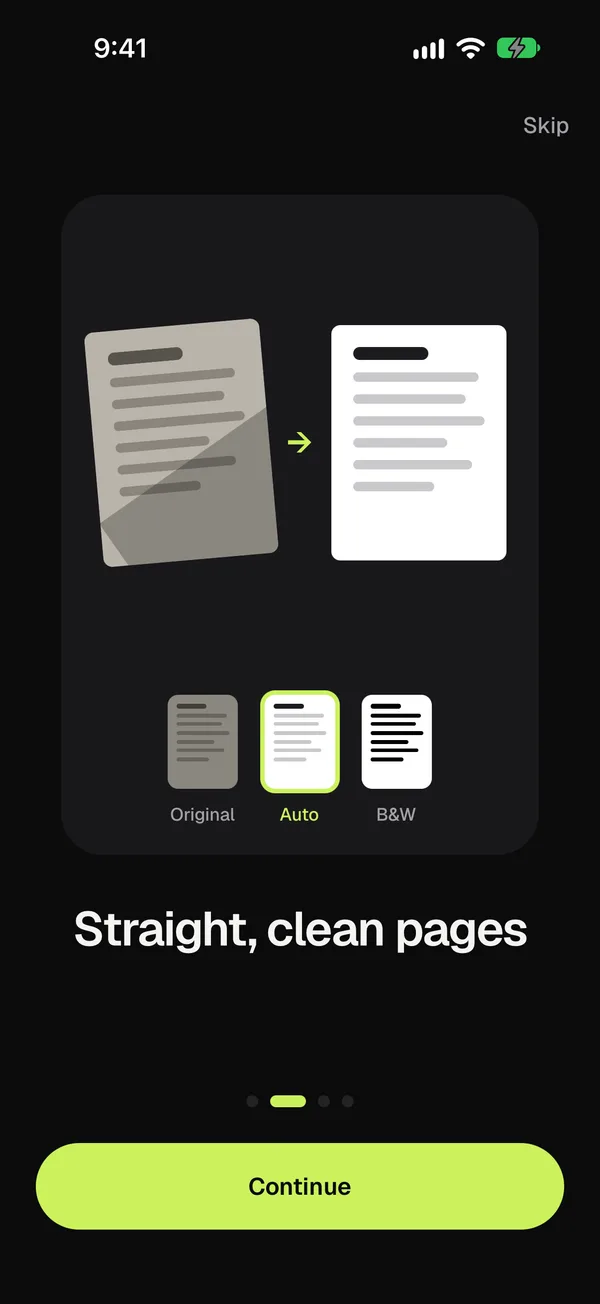
Copier treats a print like a page: it finds the edges, cuts the print out and straightens it, including a curled print, which is straightened along its curved edges. For photos, pick the Original look so the colors stay exactly as photographed. The Auto look is made for paper and would whiten the picture. Hold Compare to check.
Each page is processed on the iPhone, and nothing is uploaded. Use Batch to scan a stack of prints one after another without leaving the camera. Sharing as JPG is free for up to 10 documents; more documents and PDF export come with a one-time Copier Pro purchase.
How to scan old photos with an iPhone
Old prints need a little more care than new ones.
- Don’t flatten a curled print by force. Lay it down and let an app straighten the curve, or weigh down the very corners with something that stays out of frame.
- Scan a print’s back too, if someone wrote a name or date on it. It’s often the only record of who’s in the picture.
- Faded color is normal for prints from the 1970s and 80s. Scan with no correction first, then fix color in the Photos app’s Edit tools, so you always have the untouched scan.
- Work in batches by album or year, and name the files as you go: “1984 Lake trip 01”.
For prints in an album you can’t remove them from, scan through the sleeve with light from a low angle on one side, and accept a little loss.
What resolution does a phone scan of a photo have?
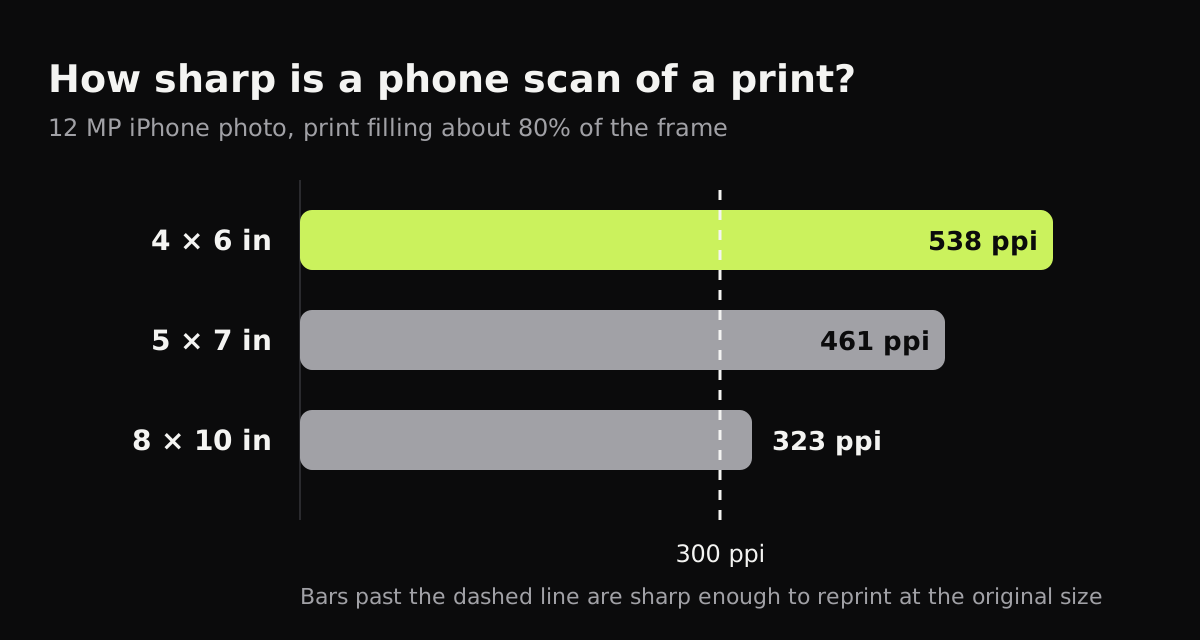
A standard 12 MP iPhone photo is 4,032 × 3,024 pixels. How much of that lands on the print depends on how much of the frame the print fills. With the print filling about 80% of the frame, the numbers work out like this.
| Print size | Pixels for 300 ppi | Pixels for 600 ppi | What a 12 MP photo gives |
|---|---|---|---|
| 4 × 6 in | 1,200 × 1,800 | 2,400 × 3,600 | about 538 ppi |
| 5 × 7 in | 1,500 × 2,100 | 3,000 × 4,200 | about 461 ppi |
| 8 × 10 in | 2,400 × 3,000 | 4,800 × 6,000 | about 323 ppi |
300 ppi is the usual figure for reprinting at the same size. So for snapshots, an iPhone has enough pixels. For enlargements, or for 8 × 10 prints you want to crop into, a flatbed scanner at 600 ppi or more still wins, and pixels aren’t everything: focus, lens sharpness and phone movement limit the real detail.
After you scan
- Keep the untouched scans in one album and edit copies.
- Back them up. A phone isn’t an archive; copy the scans to a computer or another drive as well.
- Share old family photos as JPG. PDF is for documents; a photo inside a PDF is harder for relatives to save and print.
Related guides
- Polaroids have a white border and a glossy face: how to scan Polaroids.
- Negatives need a light behind them: how to scan film negatives with your phone.
- On any phone or with a flatbed: how to scan photos.
- Paper documents rather than prints: how to scan documents on iPhone.
Questions
What is the best way to scan old photos with an iPhone?
Take the print out of its sleeve, lay it flat in soft daylight with no flash, hold the iPhone straight above it, and use a scanner app that crops and straightens the print without changing its colors.
How do I get rid of glare when scanning photos with my phone?
Turn off the flash, move the light to one side so its reflection misses the print, and tilt the phone slightly. Google's PhotoScan app also removes glare by combining four shots.
Is Google PhotoScan still available for iPhone?
Yes. PhotoScan by Google Photos is still on the App Store and free, though it hasn't been updated since November 2022.
Is scanning a photo with an iPhone as good as a flatbed scanner?
For 4 × 6 and 5 × 7 prints, a 12 MP iPhone photo has enough pixels to reprint at the same size. A flatbed is still better for large prints, enlargements and very fine detail.